
Manual checklist
Write Caption and When as usual. A finished image/video stays simple. Tap the media only when you want compact crop, position, adjustments, text/style, ordering, alt text, or basic video controls.
CREATE + SCHEDULE SOCIAL MEDIA
Conteenua uses one editable Creative underneath three experiences: compact Manual editing in a checklist, AI-assisted creation in the same checklist, and the full creation surface in Workspace → Calendar → Manual. The final outputs go through the same publishing calendar and delivery history.
Open Conteenua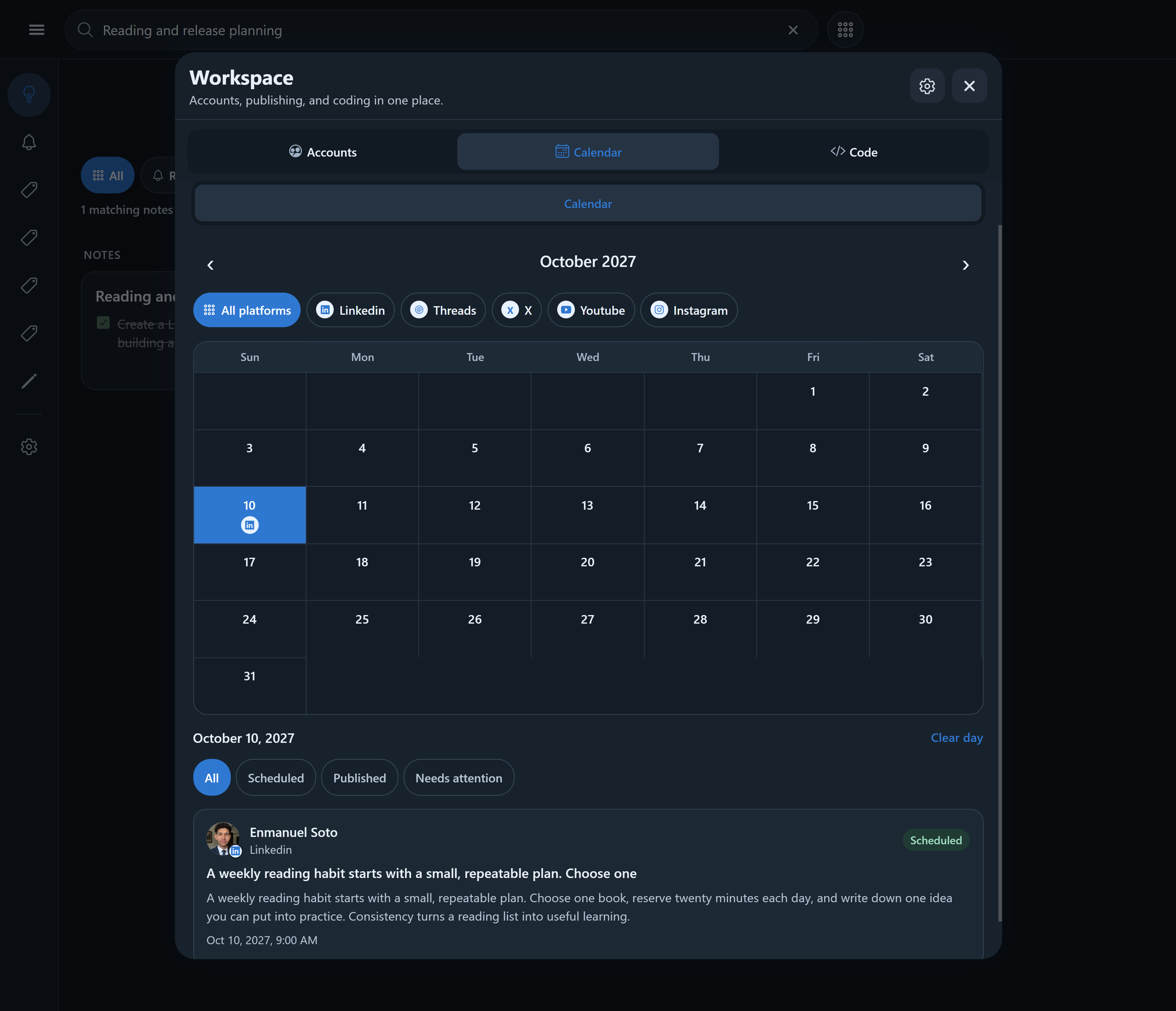
Write Caption and When as usual. A finished image/video stays simple. Tap the media only when you want compact crop, position, adjustments, text/style, ordering, alt text, or basic video controls.
Describe the result in natural language. When creative work is required, the existing setup shows an editable media preview and Ask for changes before Save action → Run this action.
Use the richer editor for drafts, ordered image/video pages, built-in or saved templates, reusable assets/styles, variants, destination-specific versions, custom sizes, export, and compatibility guidance.
Conteenua keeps the editable source separate from rendered outputs. When destinations need different media counts, formats, titles, or video, the destination + post-type capability layer decides what is valid and what can be prepared deterministically. Scheduled posts reference an immutable Creative version/output, so later draft edits do not silently change already scheduled media.
Manual editing, rendering, compatible page-to-video conversion, scheduling, and publishing do not use Conteenua AI credits. AI writing, semantic page/layout creation, and natural-language creative revisions use the displayed AI credits. Generative image/video creation is not part of this release.